
For local businesses, appearing in Google Search and Maps is crucial. A well-optimized Google Business Profile (GBP) not only improves visibility but also drives foot traffic, leads, and online engagement. This guide walks you through everything you need to optimize your GBP and stand out in local search results.
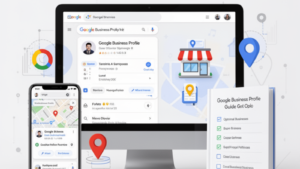
Why Google Business Profile Matters
-
Local SEO Boost: Google uses GBP data to rank local businesses.
-
Trust & Credibility: A complete, verified profile builds trust with potential customers.
-
Increased Engagement: Features like reviews, posts, and Q&A attract clicks and inquiries.
-
Free Advertising: GBP is a cost-effective way to promote your business online.
Step 1: Claim and Verify Your Profile
-
Search for your business on Google.
-
If unclaimed, click “Own this business?” and follow the verification process (postcard, phone, or email).
-
Verification ensures you control the information shown to customers.
Step 2: Complete All Business Information
-
Business Name: Use your real business name (avoid keyword stuffing).
-
Address & Service Area: Accurate location for local search relevance.
-
Phone Number & Website: Consistent across all online directories.
-
Business Category: Choose primary and secondary categories carefully.
-
Hours of Operation: Include regular and holiday hours.
-
Attributes & Highlights: Offer details like “women-led,” “wheelchair accessible,” or “delivery available.”
Step 3: Optimize Description & Business Summary
-
Use a clear, concise description (750 characters max).
-
Highlight your unique selling points (USPs) and services.
-
Incorporate local keywords naturally.
Step 4: Add Photos & Videos
-
Upload high-quality images of your location, products, staff, and services.
-
Include videos showcasing your business, tutorials, or customer testimonials.
-
Profiles with photos get 42% more requests for directions and 35% more clicks to websites.
Step 5: Manage Reviews & Ratings
-
Encourage happy customers to leave reviews.
-
Respond to all reviews promptly—thank positive reviews and address complaints professionally.
-
Reviews impact local search ranking and customer trust.
Step 6: Use Google Posts
-
Share updates, promotions, events, and news through Google Posts.
-
Posts appear directly in your business listing on search and maps.
-
Include clear calls-to-action (CTA) like “Book Now” or “Learn More.”
Step 7: Questions & Answers (Q&A)
-
Monitor and respond to questions customers ask about your business.
-
Provide helpful, accurate answers to improve user experience.
-
Seed common questions yourself to guide potential clients.
Step 8: Optimize Products & Services
-
List all products and services you offer, including detailed descriptions and pricing.
-
Use relevant keywords to enhance discoverability.
-
Update regularly for seasonal offerings or promotions.
Step 9: Monitor Insights & Analytics
-
Track metrics like searches, views, clicks, and direction requests.
-
Use insights to refine your listing and identify high-performing areas.
-
Regularly adjust content based on trends and engagement.
Step 10: Maintain Consistency Across Platforms
-
Ensure NAP (Name, Address, Phone) consistency across your website, GBP, and local directories.
-
Inconsistent information can hurt local SEO and confuse customers.
Final Thoughts
Optimizing your Google Business Profile is an essential part of local SEO. By following this guide:
-
Your business becomes more visible on Search & Maps.
-
Customers gain trust through accurate info and reviews.
-
You generate more clicks, calls, and visits.
A fully optimized GBP is a powerful, free marketing tool that can put your local business ahead of the competition.